Complete Guide

How to Make a Cartoon Character of Yourself

Ever wondered what you would look like as a cartoon character? With Cartoonie AI, you can transform any photo into a stunning cartoon version of yourself and review a protected preview shortly. Whether you want an anime hero, a Pixar-style character, or a classic comic book look, creating your own cartoon character has never been easier.

No drawing skills needed. No expensive software. Just your photo and a few clicks.

AI Photo Tool, Avatar Builder, or Illustrator?

Three common ways to make a cartoon character of yourself. Pick the path that matches how much time you have, how closely you want it to look like your photo, and whether you need a quick avatar or a custom illustration.

Short answer: use a browser-based AI photo tool when you want a cartoon that looks like you from a real photo, an avatar builder when you want a stylized character you assemble by hand, and a commissioned illustrator when you need a fully custom, one-of-a-kind design.

AI Photo Tool

Upload a selfie or portrait and let AI transform your actual features into a cartoon character. No drawing skills required.

Best for

  • Looking like your real photo
  • Trying multiple art styles fast
  • Profile pics and social avatars

Tradeoffs

  • Quality depends on your photo
  • Less manual control than drawing

Avatar Builder

Pick hair, outfits, and accessories from preset options to build a character. Great for playful messaging or gaming avatars that do not need to match a specific photo.

Best for

  • Quick stylized characters
  • Games and chat apps
  • Fun, not photo-accurate looks

Tradeoffs

  • May not resemble you closely
  • Limited to preset parts

Commissioned Illustrator

Hire an artist to draw a character from your brief or reference photos. Best when you need a unique mascot, brand character, or polished illustration with full creative direction.

Best for

  • Brand mascots and merch
  • Fully custom art direction
  • Print-ready illustrations

Tradeoffs

  • Higher cost and wait time
  • Revisions add time and budget

Cartoonie is a browser-based AI photo tool. You can make a cartoon character of yourself online with no app download on desktop or Android. Just upload a photo and preview your result in your browser.

Create Your Cartoon Character in 5 Steps

Making a cartoon character of yourself starts with a photo, a style, and a protected preview. Here is exactly how to do it.

1

Visit Cartoonie

Visit cartoonie.ai to upload your photo and preview a cartoon character. On iPhone or iPad, use the Cartoonie app.

2

Choose Your Best Photo

Select a clear, well-lit photo of yourself. Front-facing portraits with simple backgrounds produce the most recognizable cartoon characters. The AI uses your facial features, hair, and expression to build your character.

3

Pick a Cartoon Character Style

This is where the fun begins. Choose from 13+ styles such as Classic Anime for a Japanese animation look, Animation Studio for a Pixar-like feel, Block Movie for a toy-inspired character, or Comic Pop for a bold comic book hero. Each style gives your character a completely different personality.

4

Add Character Details (Optional)

Want your cartoon character in a specific setting or outfit? Add a custom prompt like 'superhero costume in a city skyline' or 'fantasy warrior in an enchanted forest.' These details help the AI craft a cartoon character that is uniquely yours.

5

Generate and Save Your Character

Generate a protected preview of your cartoon character shortly. Unlock the full-resolution result plus more creations with a 10-credit pack, then use it as an avatar, share it on social media, or try another style to build a collection.

Cartoon Character Styles

Choose Your Cartoon Character Look

Every style gives your cartoon character a distinct personality. From hand-drawn anime heroes to 3D animated movie stars, pick the style that matches the character you want to become.

Bloxy cartoon character style

Bloxy

Dreamworks Animation cartoon character style

Dreamworks Animation

Modern Disney cartoon character style

Modern Disney

Classic Disney cartoon character style

Classic Disney

Studio Ghibli  cartoon character style

Studio Ghibli

Get Roasted cartoon character style

Get Roasted

Cartoon Characters Created with Cartoonie

Real people transformed into cartoon characters using our AI. See what your character could look like.

Cartoon character created in Modern Animation style
Modern Animation

Transform your photos into modern animation style characters.

Cartoon character created in Cartoonie style
Cartoonie

Bold, fun, and silly. It's the Cartoonie style!

Cartoon character created in Cartoonie style
Cartoonie

Bold, fun, and silly. It's the Cartoonie style!

Cartoon character created in Cartoonie style
Cartoonie

Bold, fun, and silly. It's the Cartoonie style!

Cartoon character created in World Cup Hero style
World Cup Hero

Turn your photo into a fun cartoon football star in your nation's kit colors.

Cartoon character created in World Cup Hero style
World Cup Hero

Turn your photo into a fun cartoon football star in your nation's kit colors.

Get Inspired

Creative Uses for Your Cartoon Character

Once you have made a cartoon character of yourself, the possibilities are endless. Here are some of the most popular ways people use their cartoon characters.

Social Media Avatars

Stand out on Instagram, TikTok, X, and LinkedIn with a cartoon profile picture that grabs attention and shows off your personality.

Gaming Avatars

Use your cartoon character as a custom avatar for gaming profiles, Discord servers, Twitch, or streaming platforms. Look like a true game character.

Personalized Gifts

Turn a cartoon character of a friend or family member into a unique gift. Print it on mugs, phone cases, t-shirts, posters, or greeting cards for birthdays and holidays.

Custom Merchandise

Create your own branded merchandise with your cartoon character. Perfect for YouTubers, streamers, small businesses, or anyone building a personal brand.

Chat Stickers and Emotes

Turn your cartoon character into a set of expressive stickers for WhatsApp, iMessage, or Telegram. Create different emotions and reactions featuring you.

Creative Projects

Use your cartoon character in presentations, blog headers, invitations, or digital art projects. Add a personal and playful touch to anything you create.

Pro Tips

Tips for Better Cartoon Characters

Follow these tips to make sure your cartoon character looks its best

Use a high-resolution photo taken in natural light. The AI picks up more detail from clear, sharp images, which means a more accurate cartoon character.

Show your full face in the photo. Front-facing shots where both eyes and your mouth are visible let the AI capture your expression and likeness.

Keep your background simple. A plain or uncluttered background helps the AI focus on you rather than distracting details behind you.

Experiment with different styles for the same photo. Your picture might look amazing in Classic Anime but feel even better as an Animation Studio character.

Use custom prompts to add flair. Try adding descriptions like 'wearing a space suit' or 'in a magical kingdom' to place your cartoon character in a scene.

Not happy with the result? Regenerate with tweaked prompts or a different style. Small adjustments often make a big difference in the final character.

What Makes a Great Cartoon Character

Skip the generic filters. A good cartoon character captures something real about you -- the way you smirk when you are being sarcastic, the tilt of your head when you are curious, or the confidence in your posture when you walk into a room. The best cartoon characters are not just pretty drawings. They carry personality. That is the difference between a forgettable avatar and one that makes people say, "That looks exactly like you."

Expression matters more than perfection. A cartoon character with a big grin, a dramatic eye roll, or a thoughtful stare is always more interesting than one with a blank, neutral face. When you choose your source photo, pick one where you are actually doing something with your face. The AI picks up on those subtle cues and translates them into the cartoon, and the result feels alive instead of stiff.

Style matching is the other half of the equation. Not every cartoon style suits every person's vibe. If you are loud and expressive, Comic Pop or Parody Cartoon will amplify that energy. If you lean more reserved or polished, Animation Studio or Modern Animation gives you a clean, composed look. Think of the style as the wardrobe for your character -- it should match who you are, not just look cool in isolation. Try two or three styles with the same photo and you will immediately see which one fits.

Pose plays a role too. A straight-on headshot works, but an angled pose or a three-quarter turn adds dimension and makes the character feel more dynamic. Professional illustrators compose characters at slight angles for this exact reason, and the AI follows the same principle when it has something interesting to work with.
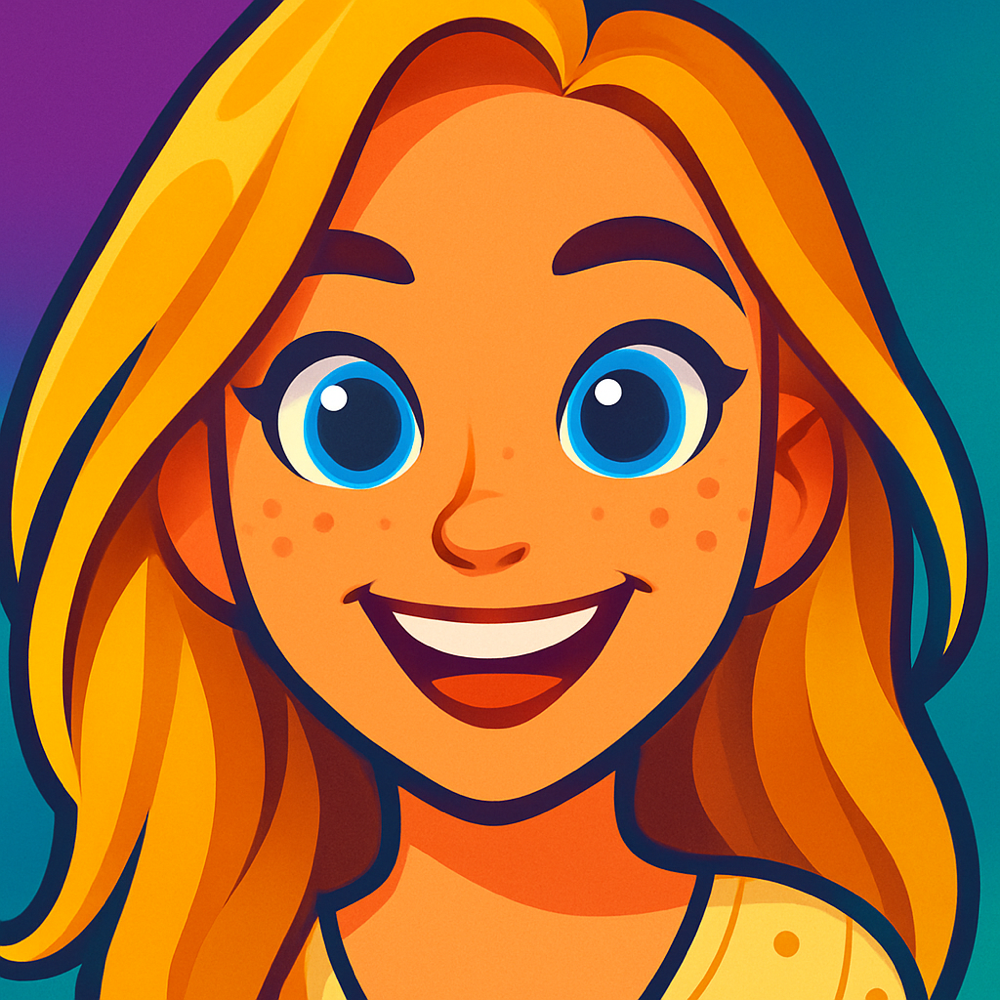
From Photo to Character: Before and After

The same photo can become a completely different character depending on the style you choose. Here are real transformations created with Cartoonie.

Cartoon character example
Modern Disney

Every photo tells a different story as a cartoon character.

Cartoon character example
Cartoonie

Every photo tells a different story as a cartoon character.

Cartoon character example
Cartoonie

Every photo tells a different story as a cartoon character.

Cartoon character example
Cartoonie

Every photo tells a different story as a cartoon character.

Want to try cartooning yourself right now? Cartoon yourself online from your photo, or explore all the styles in our AI cartoon generator guide.

FAQ

Frequently Asked Questions

Everything you need to know about making cartoon characters of yourself

Q How do I make a cartoon character of myself?

Upload a clear photo, choose an active style like Classic Anime or Animation Studio, and click Generate. The protected preview will be ready shortly. You can add optional custom prompts to place your character in specific scenes or outfits. Unlock the full-resolution result plus more creations with a 10-credit pack, or use the iOS app.

Q What photo works best for making a cartoon character?

For the best cartoon character results, use a well-lit photo with your face clearly visible. Front-facing portraits with a simple background work best. Avoid heavily filtered photos, group shots, or images where your face is partially hidden. Higher resolution photos give the AI more detail to work with.

Q Can I choose different cartoon character styles?

Yes, Cartoonie offers 13+ distinct cartoon character styles. You can try Classic Anime for a Japanese animation look, Animation Studio for a Pixar-like 3D feel, Block Movie for a toy-inspired character, Comic Pop for bold comic book art, Puppet Show for a stop-motion puppet look, and many more. Each style produces a completely unique cartoon character.

Q Do I need to download an app to make a cartoon character of myself?

No app download is required on desktop or Android. Open cartoonie.ai in your browser, upload a photo, and preview your cartoon character online. iPhone and iPad users can also use the Cartoonie iOS app if they prefer.

Q Can I use my cartoon character as a profile picture or avatar?

Absolutely. Once you unlock the full-resolution result, Cartoonie characters can be used as profile pictures on social media platforms, gaming avatars, messaging app icons, or anywhere else you want a fun cartoon version of yourself.

*
~
+
#

Ready to Become a Cartoon Character?

Visit Cartoonie and make a cartoon character of yourself from a photo. Get one protected preview online, then unlock the full-resolution result plus more creations with a 10-credit pack—or use the iOS app.

Preview online or use iPhone
Create Your Character