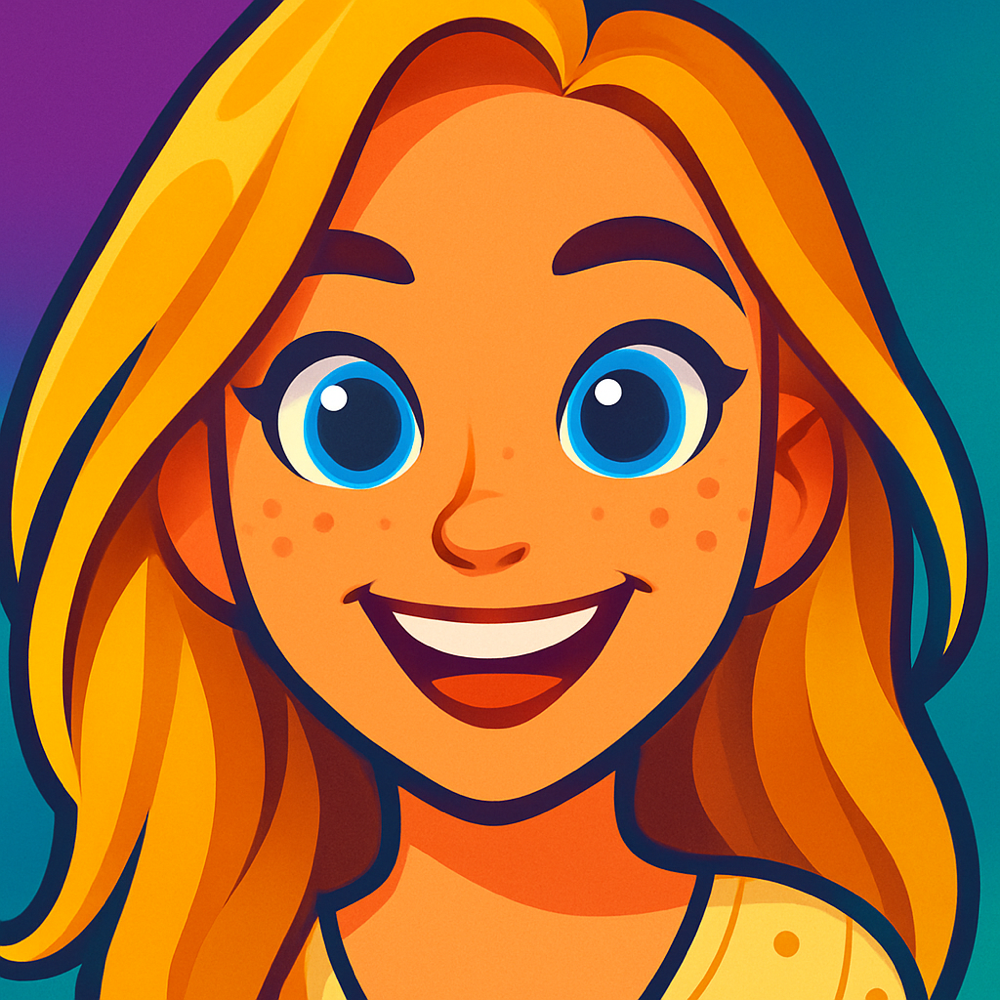
How to Turn a Photo Into a Cartoon
Whether you want a quick AI conversion or a hand-crafted illustration, there are several ways to turn any photo into cartoon art. Here are the five best methods, from instant one-tap tools to professional techniques.
5 Ways to Turn a Photo Into a Cartoon
From one-tap AI apps to professional design tools, here are the best methods for converting your photos into cartoon art.
Use an AI Cartoon App (Like Cartoonie)
The fastest and easiest way to turn a photo into a cartoon is with a dedicated AI app. Cartoonie AI lets you upload a photo, choose an active style, and get a protected preview shortly. Unlock the full-resolution result plus more creations with a 10-credit pack. No design skills needed.
Simply go to cartoonie.ai, upload a photo, select a style like Classic Anime or Animation Studio, and click Generate. You can even add custom instructions to fine-tune the result. The AI handles all the heavy lifting, from outlining edges to applying color palettes that match each style.
Best For
- Quick, high-quality cartoon conversions
- Multiple unique art styles in one app
- No experience or design skills required
- Social media profile pictures and avatars
Good to Know
- Protected preview completes shortly
- Preview before unlocking full resolution
- Web preview plus the iPhone and iPad app
- Custom prompts for personalized results
Online Cartoon Generators
Browser-based cartoon generators let you cartoon yourself online without installing desktop software. These web tools typically apply preset filters or use AI models to convert your photo. You upload an image, review the protected preview, and unlock the full-resolution result when you are ready.
While convenient for a quick one-off conversion, most free online generators produce lower-quality results with limited style options. They often add watermarks to free outputs and may compress image quality. Privacy can also be a concern since your photo is uploaded to a third-party server.
Best For
- Quick, no-install conversions
- One-time use from any device
- Testing the concept before committing
Watch Out For
- Watermarks on free versions
- Limited style variety
- Lower image quality output
Photoshop Filters and Effects
Adobe Photoshop offers several built-in filters that can make photos look like cartoons. The most common technique combines the Poster Edges filter with Surface Blur or Oil Paint to create bold outlines and flat color areas that resemble hand-drawn cartoons.
This method gives you precise control over every aspect of the final result. You can adjust edge thickness, color saturation, and smoothing levels to create exactly the look you want. However, it requires paid Photoshop access and at least intermediate editing skills to get good results.
Best For
- Full creative control over the output
- Combining multiple filter effects
- Professional or commercial projects
Watch Out For
- Requires paid Photoshop access
- Steep learning curve for beginners
- Time-consuming manual process
Procreate and Drawing Apps
For a truly custom cartoon, you can trace over your photo using a digital drawing app like Procreate, Clip Studio Paint, or even the free app Sketchbook. Import your photo as a reference layer, reduce its opacity, and draw cartoon outlines and colors on top. This gives you a genuinely hand-drawn look.
This is the most artistic approach and produces the most unique results since every line is placed intentionally. Many professional illustrators and caricature artists use this method. The tradeoff is that it takes significant time and drawing skill to produce polished results.
Best For
- Unique, one-of-a-kind artwork
- Custom gifts and portraits
- Artists building a portfolio
Watch Out For
- Requires drawing skill and a tablet
- Can take hours per illustration
- Not practical for batch conversions
General AI Art Generators
General-purpose AI image tools like Midjourney, DALL-E, and Stable Diffusion can transform photos into cartoon-style images using image-to-image features combined with text prompts. You upload a reference photo, describe the cartoon style you want, and the AI generates a new version.
These tools are powerful and can produce artistic results, but they come with a learning curve. Writing effective prompts takes practice, results can be inconsistent, and the output may not closely resemble the original photo. They work best when you want creative reinterpretation rather than a faithful cartoon version of a specific person.
Best For
- Creative and artistic reinterpretations
- Experimenting with many visual styles
- Users already familiar with AI tools
Watch Out For
- Prompt writing has a learning curve
- Results may not match the original photo
- Most require paid plans
See What's Possible
Real photos turned into cartoons with Cartoonie AI

Transform your photos into modern animation style characters.

Bold, fun, and silly. It's the Cartoonie style!

Bold, fun, and silly. It's the Cartoonie style!

Bold, fun, and silly. It's the Cartoonie style!

Turn your photo into a fun cartoon football star in your nation's kit colors.

Turn your photo into a fun cartoon football star in your nation's kit colors.
Cartoon Styles to Choose From
Each style creates a completely different look. Pick the one that matches the vibe you're going for.


Frequently Asked Questions
Answers to common questions about turning photos into cartoons.
How do I turn a photo into a cartoon?
Upload a photo to Cartoonie, choose an active style, and get one protected preview. Unlock the full-resolution result plus more creations with a 10-credit pack, or use the iOS app.
What is the best app to turn photos into cartoons?
Cartoonie AI is a photo-to-cartoon tool with active styles, protected previews, and an iOS app. Upload a photo, choose a style, review the result, and unlock the full-resolution version plus more creations with a 10-credit pack. Custom prompts can personalize the result.
Can I turn a photo into a cartoon without Photoshop?
Yes, you absolutely don't need Photoshop to turn a photo into a cartoon. AI apps like Cartoonie handle the entire process automatically. Just upload a photo, pick a style, and the AI generates a cartoon version without any manual editing or design skills. This makes it accessible to everyone, regardless of technical experience.
How long does it take to turn a photo into a cartoon?
With AI-powered tools like Cartoonie, the protected photo-to-cartoon preview completes shortly. Traditional methods like hand-drawing in Procreate or using Photoshop filters take much longer.
What types of photos work best for cartoon conversion?
Photos with good lighting, clear subjects, and simple backgrounds produce the best cartoon results. Portraits where faces are clearly visible work especially well. High-resolution images with sharp focus give the AI more detail to work with for a better transformation. Avoid blurry, dark, or overly busy images for the best outcome.
Ready to Turn Your Photos Into Cartoons?
Visit cartoonie.ai and get one protected preview from your photo shortly. Choose from active styles, then unlock the full-resolution result plus more creations with a 10-credit pack—or use the iOS app.